No API? No Problem: How to Track 3PL Performance with SFTP
You’ve heard it before: “Sorry, we don’t have an integration for that.”
Your 3PL is great at fulfillment. Orders go out on time. Customers are happy. But when you ask about connecting to your systems, you get a spreadsheet emailed weekly. Or a login to their portal. Or nothing at all.
No API means no visibility. Right?
Not quite.
Why So Many 3PLs Don’t Have APIs
This isn’t a small-3PL problem. Some of the biggest, most reliable fulfillment operations run on older warehouse management systems. These systems were built when “integration” meant EDI files and batch exports, not REST APIs and webhooks.
And honestly? Those systems work. They’re battle-tested. They handle millions of shipments. The 3PL isn’t going to rip them out just to offer a shiny API.
But they almost certainly export data somewhere. Usually via SFTP.
SFTP: The Integration Nobody Talks About
SFTP (Secure File Transfer Protocol) has been around since the 90s. It’s not sexy. Nobody writes blog posts about it. But it’s everywhere in logistics.
Here’s how it typically works:
- Your 3PL’s system generates fulfillment reports on a schedule (hourly, daily, etc.)
- Those CSV files get dropped into an SFTP folder
- You’re supposed to… do something with them
Most brands either manually download these files when they remember to, or ignore them entirely. Neither option gives you current data when you need it.
The Manual Upload Trap
“I’ll just upload the CSV when I have time.”
You won’t. Nobody does. Life gets busy, the upload gets skipped, and suddenly you’re looking at two-week-old data trying to figure out why customers are complaining.
Inconsistent data is worse than no data. With stale data, you think you have visibility when you don’t.
Automating SFTP Imports
Here’s the good news: if your 3PL exports files to SFTP, you can connect once and let the data flow automatically.
3PL Pulse can connect directly to your 3PL’s SFTP server and pull files on a schedule. Same visibility as brands with native API integrations. No manual work.
What you need from your 3PL:
- SFTP server address and credentials
- The folder path where they export files
- The file naming pattern (usually something like
fulfillment_*.csv)
That’s it. Most 3PLs can get you this info in five minutes. They’re already exporting the files. You’re just tapping into them.
How It Works
- Connect once - Enter your SFTP credentials and tell us where to look
- Set your schedule - Match your 3PL’s export frequency (hourly, every 4 hours, etc.)
- Data flows automatically - Files get pulled, processed, and matched to your Shopify orders
From there, you get real visibility: SLA tracking, breach detection, performance trends over time. Same as brands with native API integrations.
Built for Real-World SFTP
We’ve seen enough SFTP setups to know the edge cases matter. A few things we handle that most tools don’t:
Flexible authentication - Password or SSH private key. Your IT team will appreciate having options.
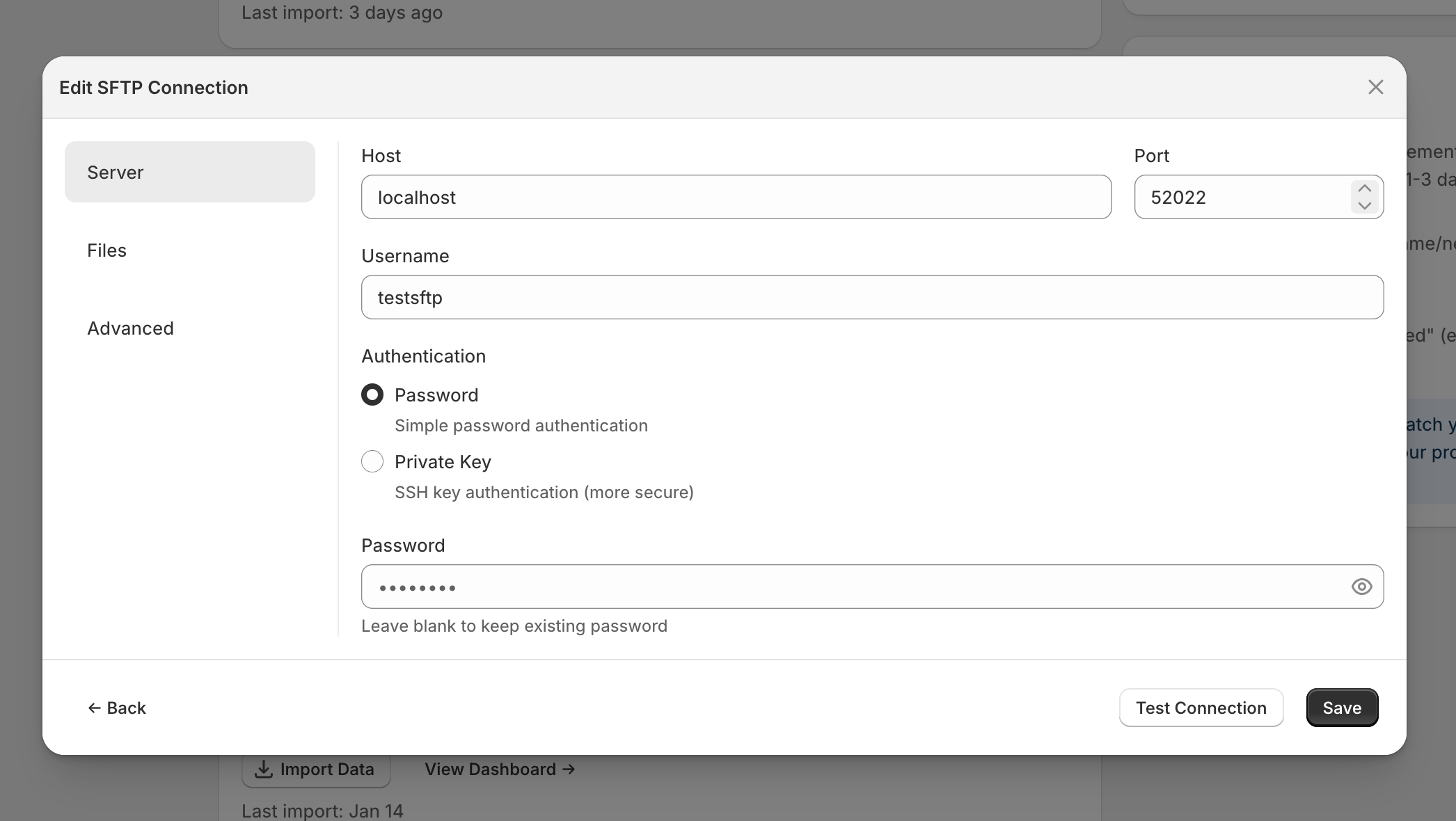
Choose password or private key authentication
File handling after import - Leave files in place, move them to an archive folder, or delete them. Your 3PL’s SFTP might have storage limits or cleanup requirements.
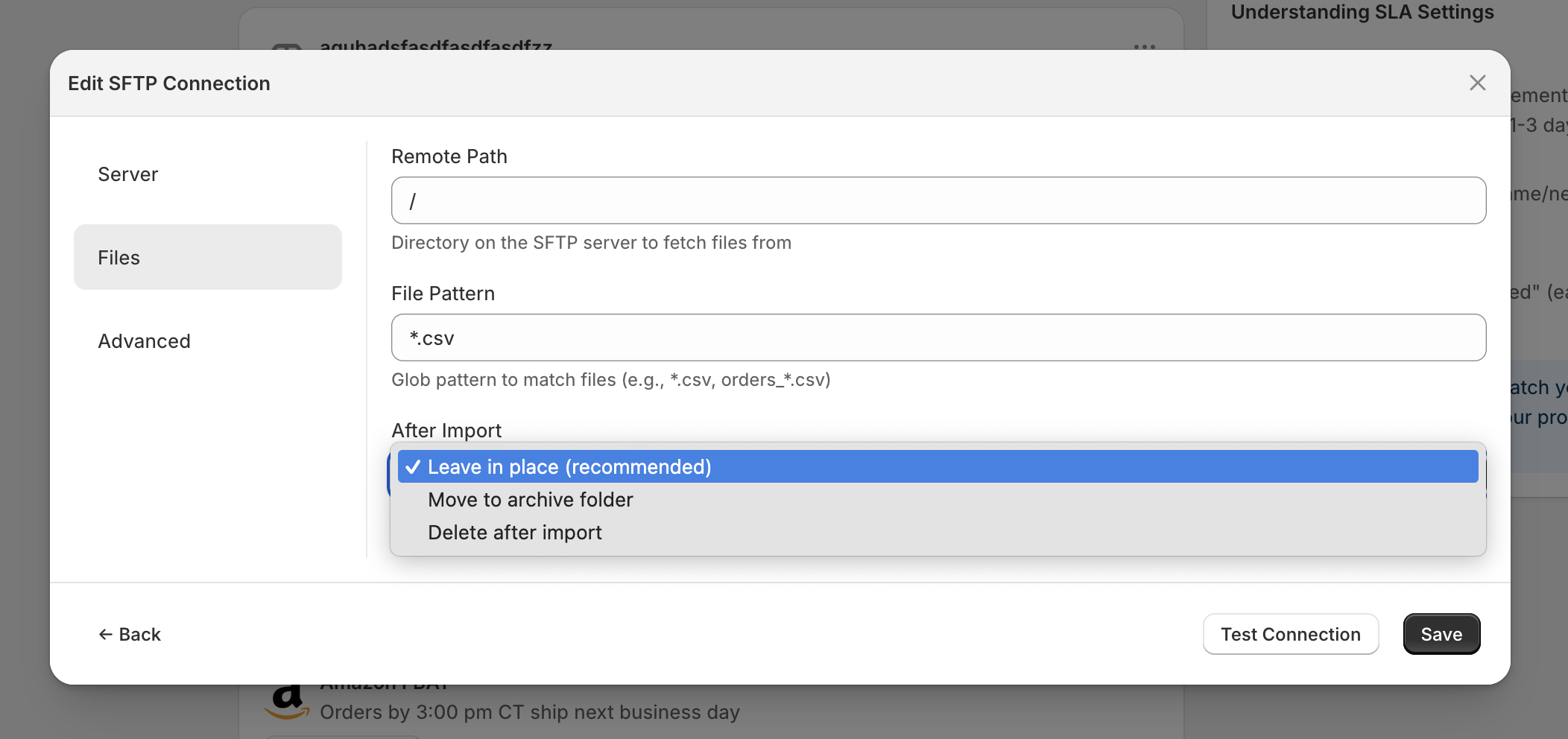
Choose what happens to files after import
No double-processing - We track files by content hash, not just filename. If a file gets re-uploaded or your 3PL regenerates it with the same data, we skip it.
Host verification - Optional fingerprint checking to prevent man-in-the-middle attacks. For the security-conscious.
For the full setup walkthrough, see our SFTP integration guide.
Is Your 3PL Already Exporting Files?
Ask them these questions:
- “Do you export fulfillment reports to SFTP or FTP?”
- “What’s in the export?” (You need order IDs, ship dates, tracking numbers, carrier info)
- “How often do files get generated?”
If they say yes to the first question and the export includes the basics, you’re good to go.
When SFTP Beats API
Counterintuitive, but sometimes SFTP is actually better:
- Batch processing - Some 3PLs update data in batches anyway. Real-time API doesn’t help if the underlying data isn’t real-time.
- Reliability - File exports have been running for years. New APIs have bugs.
- No rate limits - Download a file, get all the data. No pagination, no throttling.
The goal is visibility, not a specific technology. SFTP gets you there.
Get Started
If your 3PL exports to SFTP, you can set up automated imports in a few minutes. Reach out if you want help figuring out what your 3PL supports.